Blogs
Introducing the Visual Seating Manager
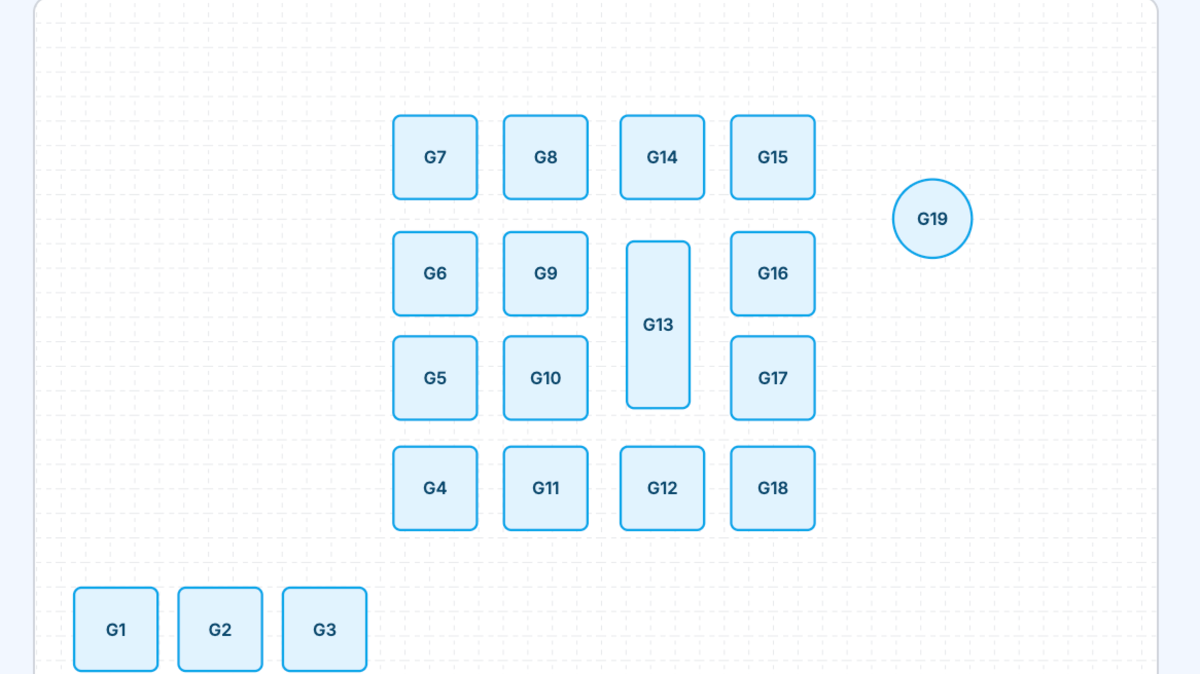
Setting up your restaurant's table layout just got a whole lot easier. We've rebuilt the Seating page from the ground up with a visual floor plan editor that lets you see your dining room take shape in real time.
What's New
Visual Floor Plan — Instead of filling out forms and guessing where tables go, you now see an interactive canvas for each room. Tables appear as shapes you can drag into place, just like arranging furniture on a blueprint.
Drag and Drop — Click and drag any table to reposition it on the floor plan. The grid snaps tables into clean alignment automatically. Your changes save the moment you release.
Custom Table Shapes — Choose from rectangular and circular table presets in multiple sizes. For rectangular tables, you can also set rotation (0, 45, 90, or 135 degrees) to match your actual layout.
Room Management — Organize tables into rooms like "Main", "Patio", or "Bar". Each room gets its own floor plan with a summary of table count and total seating capacity. Creating a new room is as simple as typing a name when adding a table.
Zoom Controls — Adjust the floor plan scale from 0.5x to 1x to get the view that works best for your screen.
Introducing Selflane Displays: A KDS Built for the Pace of Your Kitchen
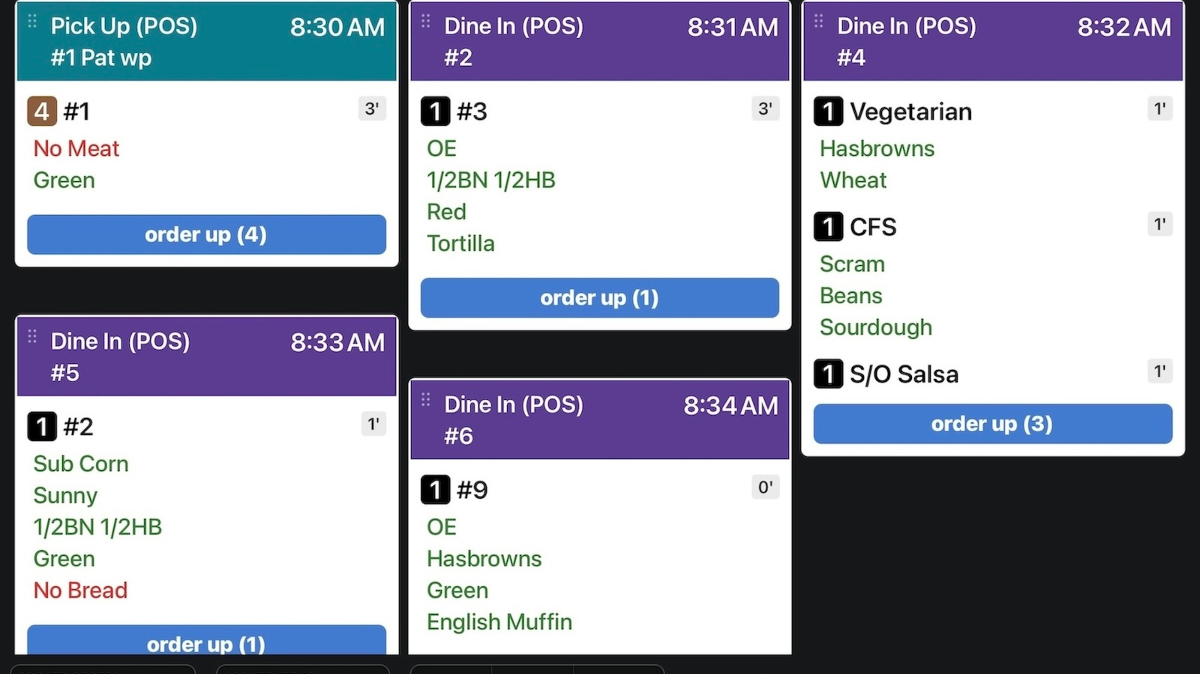
If your kitchen still runs on paper tickets, you know the cost: lost slips, smudged ink, and the constant shuffle to keep stations in sync. Selflane Displays replaces all of that with a single real-time grid that every line cook, expeditor, and manager can read at a glance.
What it does
Orders flow directly from your Selflane POS and online channels into a color-coded grid — purple for dine-in, teal for pickup, green for delivery, orange for drive-thru. Cooks tap a dish to mark it ready, or tap Order Up to clear the whole ticket. The grid refreshes automatically every 60 seconds and updates instantly when new orders arrive via push notification, even if the app is in the background.
Built for real kitchen flow
A few things we sweated:
- Smart timers. Each dish shows elapsed time since it was fired, with a green "Hold" countdown for hold-printed items and a red badge once a dish has been waiting more than 30 minutes.
- Late and future alerts. Orders more than 20 minutes past their needed time get a red "Running Late" banner. Orders needed more than 60 minutes out get a purple "Future" banner so they stay out of your active queue.
- Station and channel filters. Show only the stations a screen is responsible for, or filter by In-store, Selflane online, and 3rd Party orders (DoorDash, Uber Eats, and more).
- Layouts that fit your screen. Choose a masonry-style vertical grid (1–6 columns) for a big expo display, or a horizontal scrolling layout for a narrow secondary screen.
- No accidental taps. Sending a full "Order Up" requires a confirm tap, so a brushed sleeve doesn't fire your kitchen.
🪙 Penny Rounding is Now Ready
With the U.S. Treasury announcing it will mint the last penny by the end of 2025, we’re making sure you’re prepared. You can now enable Penny Rounding directly in your POS system.
🔧 What You Need to Do
Penny rounding needs to be manually enabled in the Back Office:
You’ll be able to choose how to round cash payments:
- Round to the nearest 5 cents
- Round to the nearest 10 cents
- Round to the nearest 25 cents
Note: Be sure to update your POS app to version v7.1.0 or later to use this feature.
💡 What the System Will Do
Once Penny Rounding is enabled:
- The system will automatically round the total amount for cash payments only.
- Example:
- A total of $14.22 becomes $14.20 (rounds down)
- A total of $14.23 becomes $14.25 (rounds up)
- A “Penny Round” line item will appear on the receipt and in your daily reports.
- Card and digital payments will not be affected — they will remain charged at the original exact amount.
Merry Christmas and Holiday Hours
The holiday is approaching. Whether you are taking a break or keeping the lights on, now is the perfect time to review and update your hours so your customers can place orders with confidence.
📅 How to Manage Your Hours:
- Weekly Hours: Set your regular operating schedule.
- Special Hours: Use this to override your regular schedule for holidays or special events — whether you're closing or adjusting your hours for a specific day.
You can update your hours through the Back Office, or directly from the POS.
✋ Need Help?
No problem! Contact our support team, and we’ll take care of the updates for you.
Lastly, we wish you Merry Christmas and a Happy New Year!

🚚 Delivery Service is Now Available in All States
Since late October, we've been testing and refining our delivery service — and we're excited to let you know that it's now officially ready to go nationwide!
After weeks of fine-tuning the system and monitoring real-world performance, the delivery service is stable, reliable, and ready to help you grow your sales this winter.
🆕 What’s New?
Our delivery service is now available in any city in the U.S.
Whether you're based in our home state of New Mexico, or operating in Washington, Massachusetts, or anywhere else — you can confidently turn on delivery today.
✅ What Should You Do?
It only takes one minute to turn on the delivery service:
➡️ Enable Delivery in the Back Office
📘 Learn how it works with our detailed guide:
➡️ Delivery Setup Documentation
❓ Have questions about fees, order flow, or customer experience?
➡️ [Read the FAQ](https://docs.selflane.com/biz/settings/delivery/third-party
🦃 Update Your Thanksgiving Hours
The holidays are just around the corner! Whether you're taking a break or staying open, now is the perfect time to review and update your hours so your customers can place orders with confidence.
📅 How to Manage Your Hours:
- Weekly Hours: Set your regular operating schedule.
- Special Hours: Use this to override your regular schedule for holidays or special events — whether you're closing or adjusting your hours for a specific day.
You can update your hours through the Back Office, or directly from the POS.
✋ Need Help?
No problem! Contact our support team, and we’ll take care of the updates for you.
Wishing you a joyful and peaceful Thanksgiving!
🕒 More Screen Time Alert
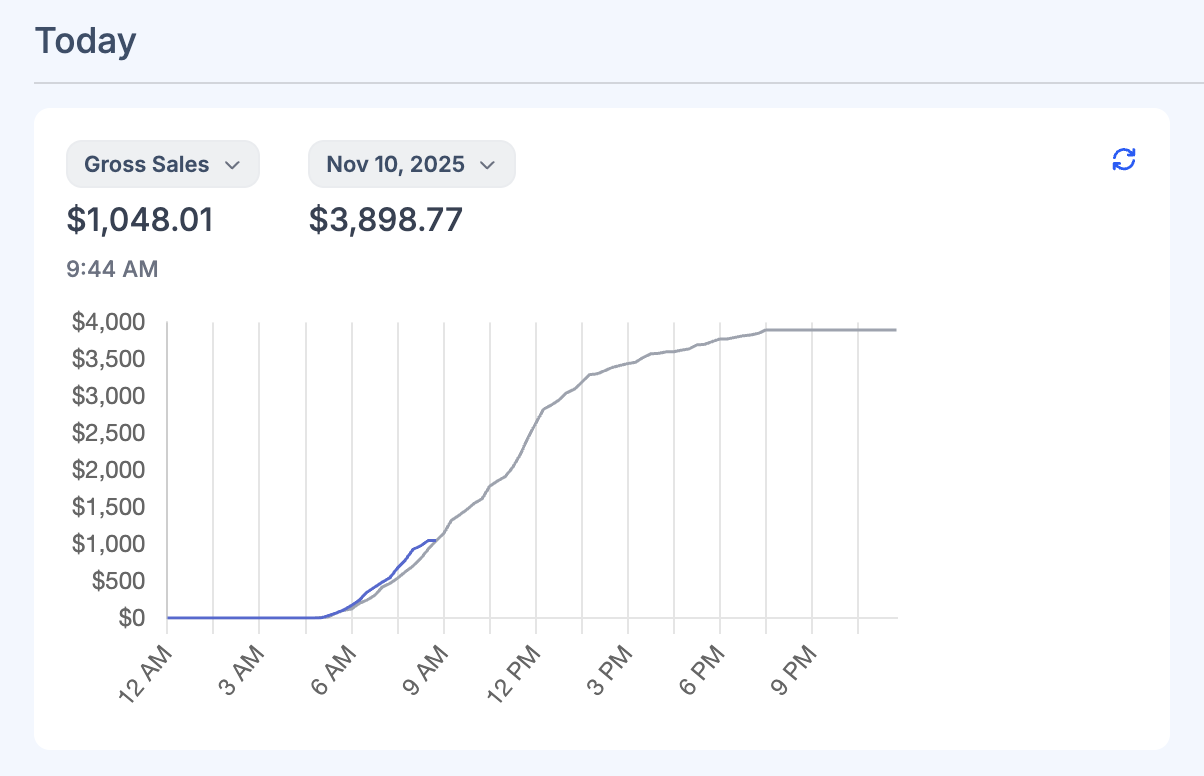
Hmm… you probably already spend plenty of time in the Back Office watching your sales. Well, we’ve just added another data point for you to stare at.
Your dashboard now starts with real-time sales data, broken down by the minute, giving you a clear view of your daily performance trend — compared against the same day last week, or any other day you choose.
Will this help you spot anomalies faster?
Or track the results of those new ideas or promotions you’re testing out?
We certainly hope so.
Enjoy the new insights — and try not to spend too much more time watching the charts!
Hope this helps!
🚀 Tap to Pay is Now Ready to Use!
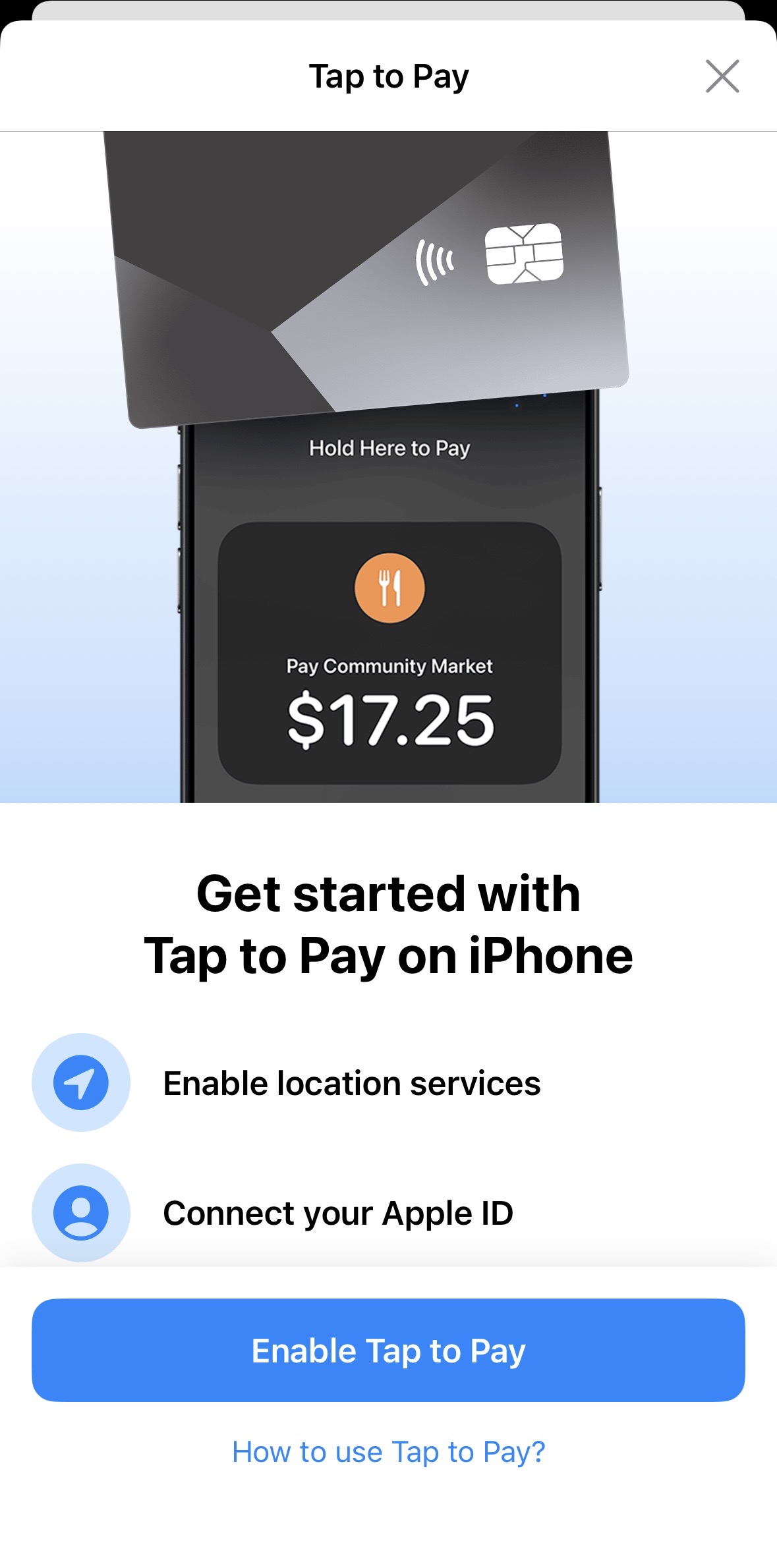
We’re excited to announce that Tap to Pay on iPhone is now available in our POS system!
With this feature, you can use your iPhone as:
- A card reader
- A table-side payment device
- A portable payment solution for events or on-the-go transactions
- A backup payment method during power or internet outages
All you need is an iPhone — yours, your employee’s, or even a relative’s — and you're ready to collect payments.
🔧 Before You Begin
Please complete a few quick setup steps on the Payment Settings page:
- Set up your Stripe payment account
- Create a location for your payment terminals
- Update POS App on your iPhone to version 6.80
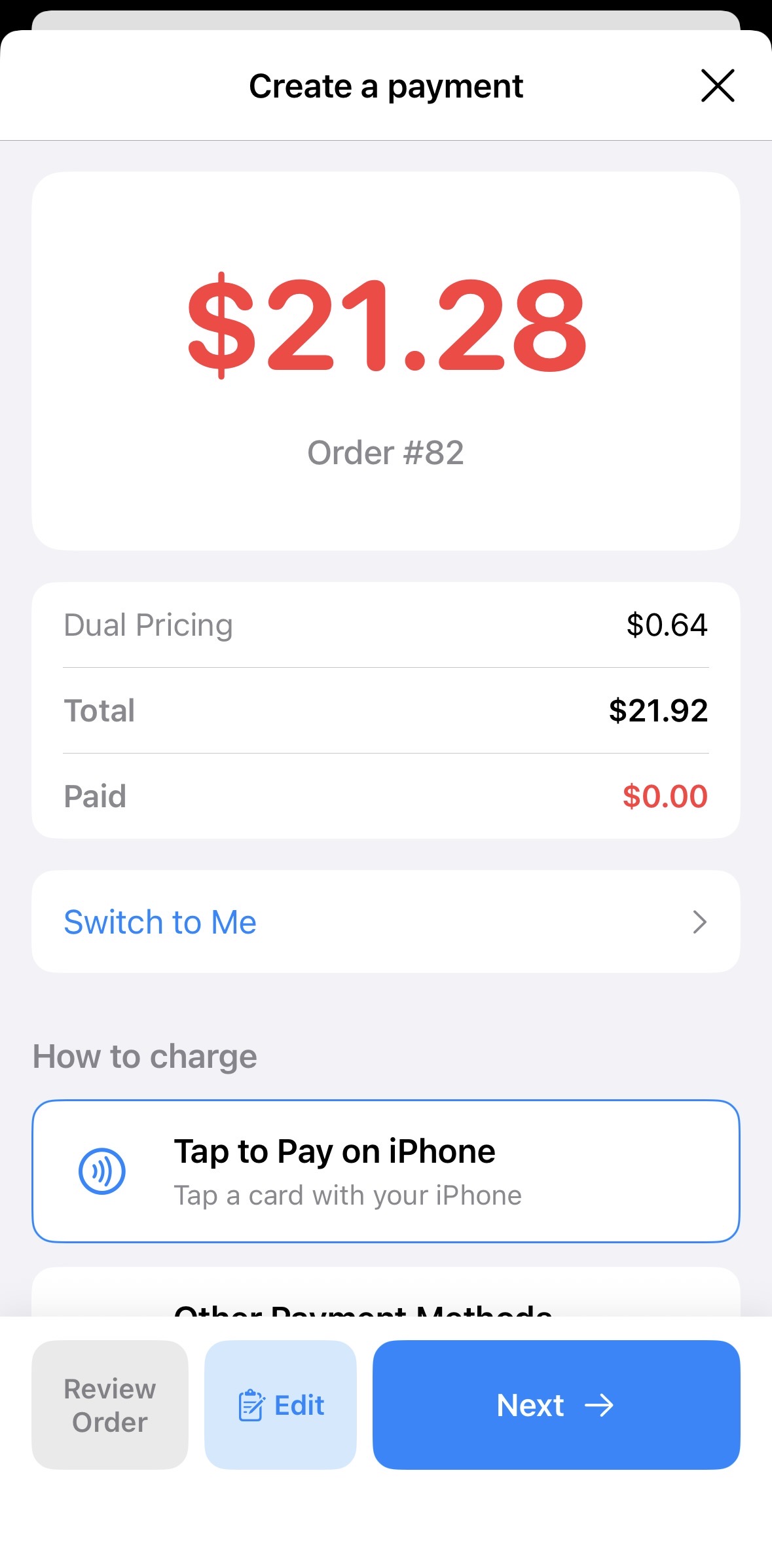
Once that’s done, you can enable Tap to Pay on iPhone during the payment step for any order.
Dish Pictures Are Important — And It's Now Easier to Upload Them
People are visual by nature — and that’s exactly why you put so much effort into presenting your dishes beautifully. We encourage you to bring that same visual appeal into your online menu.
📸 Easier Uploading in the Back Office
We've made it easier than ever to upload dish photos in the Back Office. When you're editing your menu, simply add a picture to each dish with just a few clicks.
🔍 Google Image Search Integration
Even better — we've added Google Image Search directly into the upload area. For common dishes, you can now search and select a high-quality image without needing to take a photo yourself. This is a fast and professional way to upgrade your menu visuals.
🍽 Improve Customer and Staff Experience
Why not take 10 minutes today to freshen up your menus? These images don’t just help your customers — they also appear in your POS system, helping your staff quickly recognize dishes and deliver a smoother experience.