Selflane Displays
Replace paper tickets with a real-time digital order grid. Selflane Displays runs on both iOS and Android — whether you prefer iPads or larger, cost-effective Android tablets, we have you covered.

A smarter kitchen display system
Selflane Displays shows orders immediately regardless of where and how they are submitted. Online orders, in-store orders, and third-party orders all appear on the same screen, in English, Spanish, Chinese, or Japanese.
Real-Time Order Grid
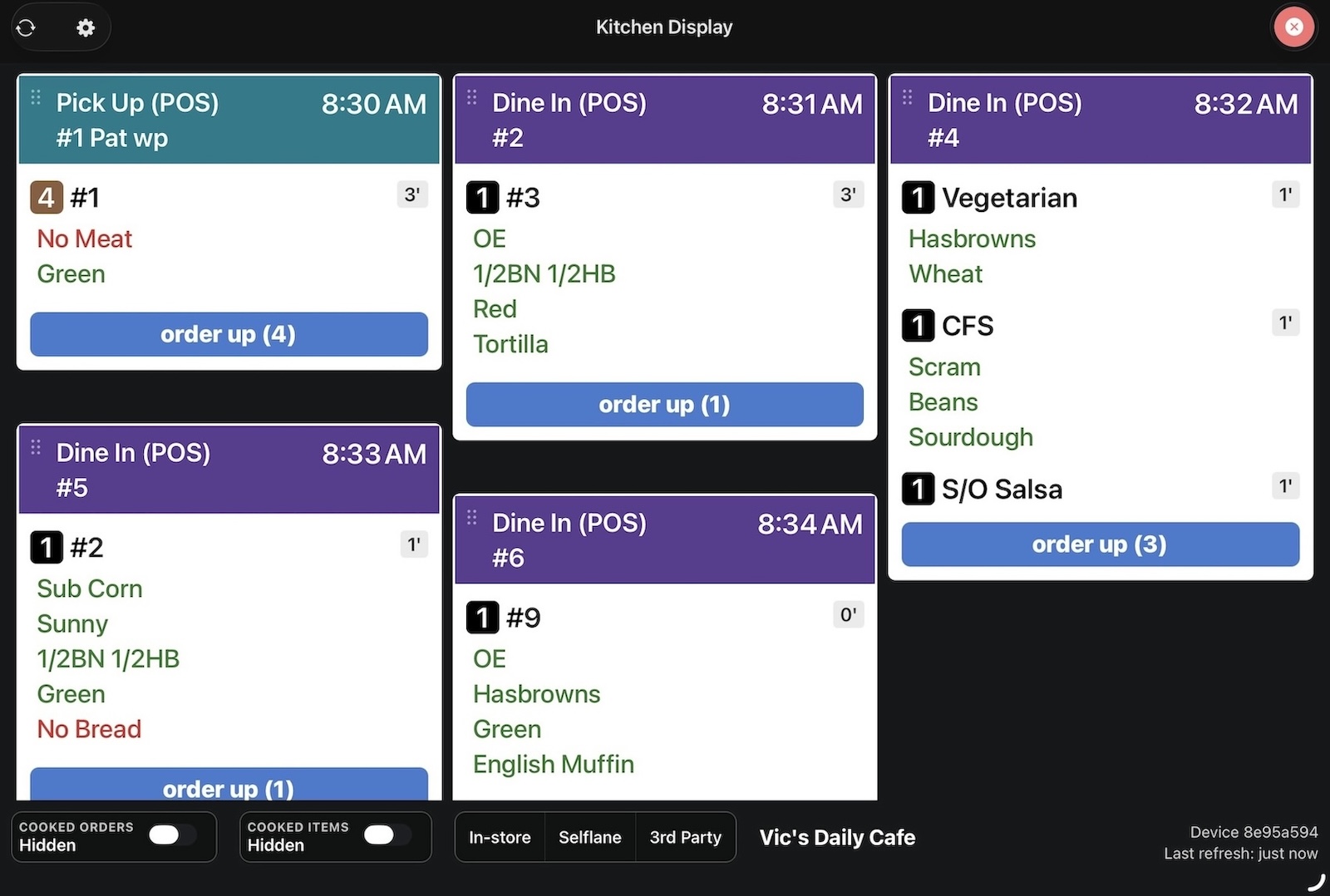
Color-coded order cards let your team instantly identify order types — dine-in, pickup, delivery, drive-thru, curbside, and QR code. Filter by station, channel, or print target. Select individual dishes and mark them ready with the Order Up action to notify your front-of-house team.
Flexible Layout Modes
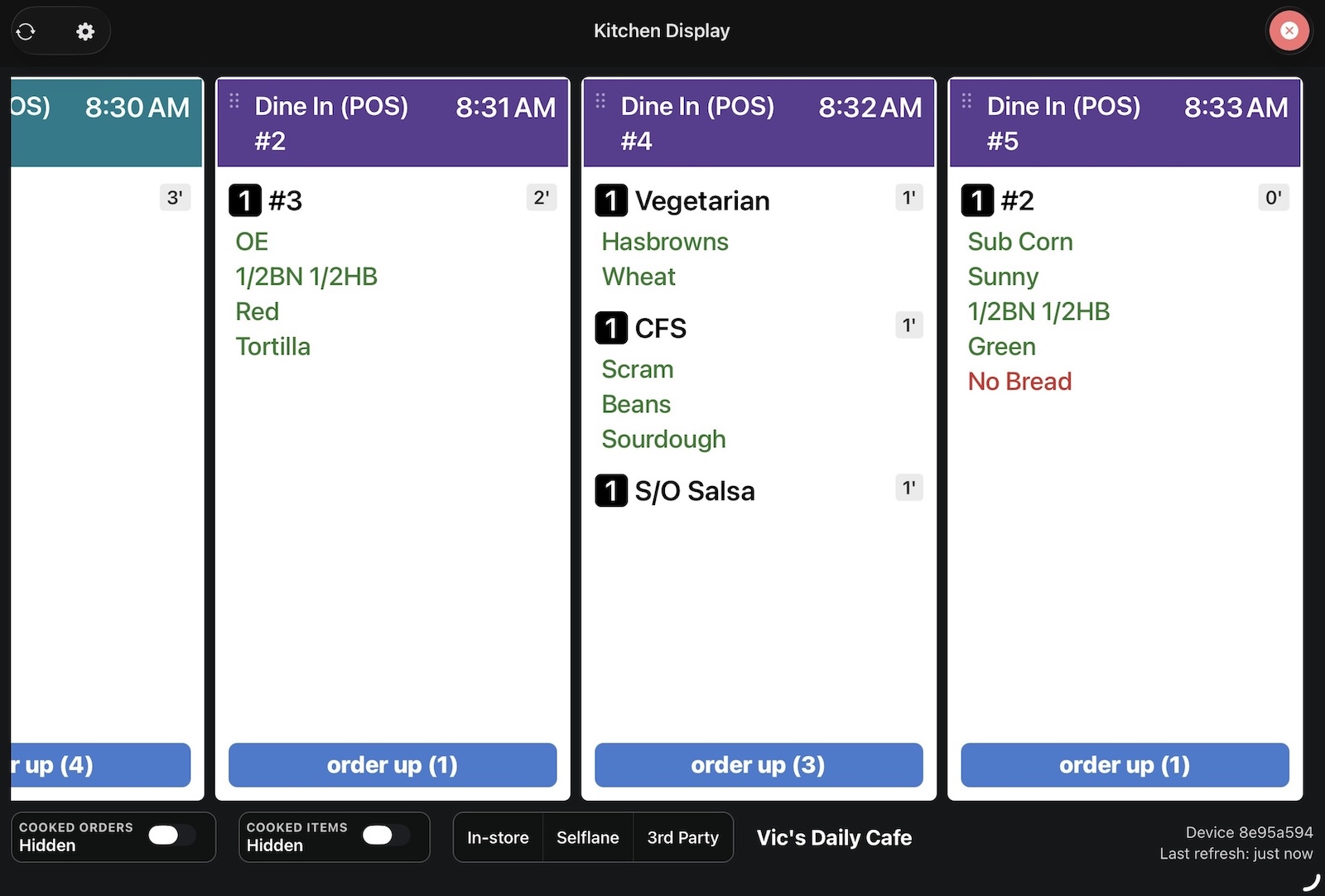
Choose between a vertical masonry grid with 1–6 columns or horizontal scrollable rows. Adjust font scale, cell width, row gap, and more to fit any screen size. New orders arrive over a live connection, with push notifications as a backup, so the grid stays current on its own.
Prep Display for packing
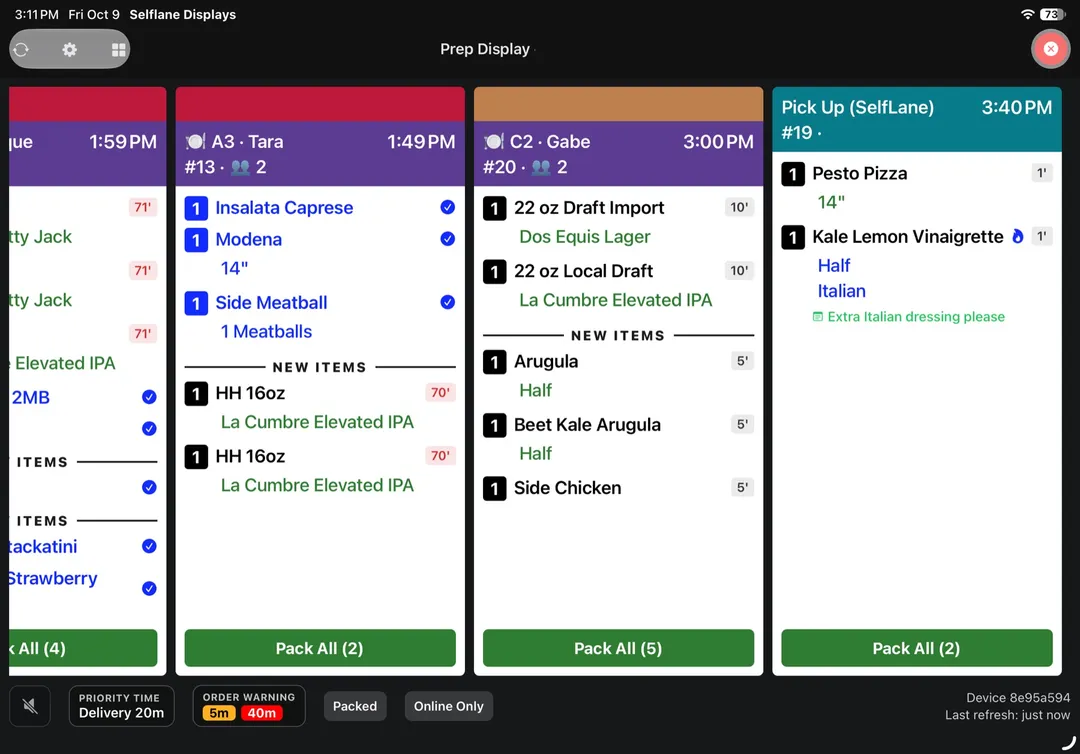
Turn any screen into a packing station. Staff tap the dishes going into the bag, mark them packed, and check the Packed view before handing off, so pickup and delivery orders leave complete.
- Pack selected items or the whole ticket
- Filter by order type and print target per station
- Optionally let packing mark items cooked too
Built for the line, not the desk
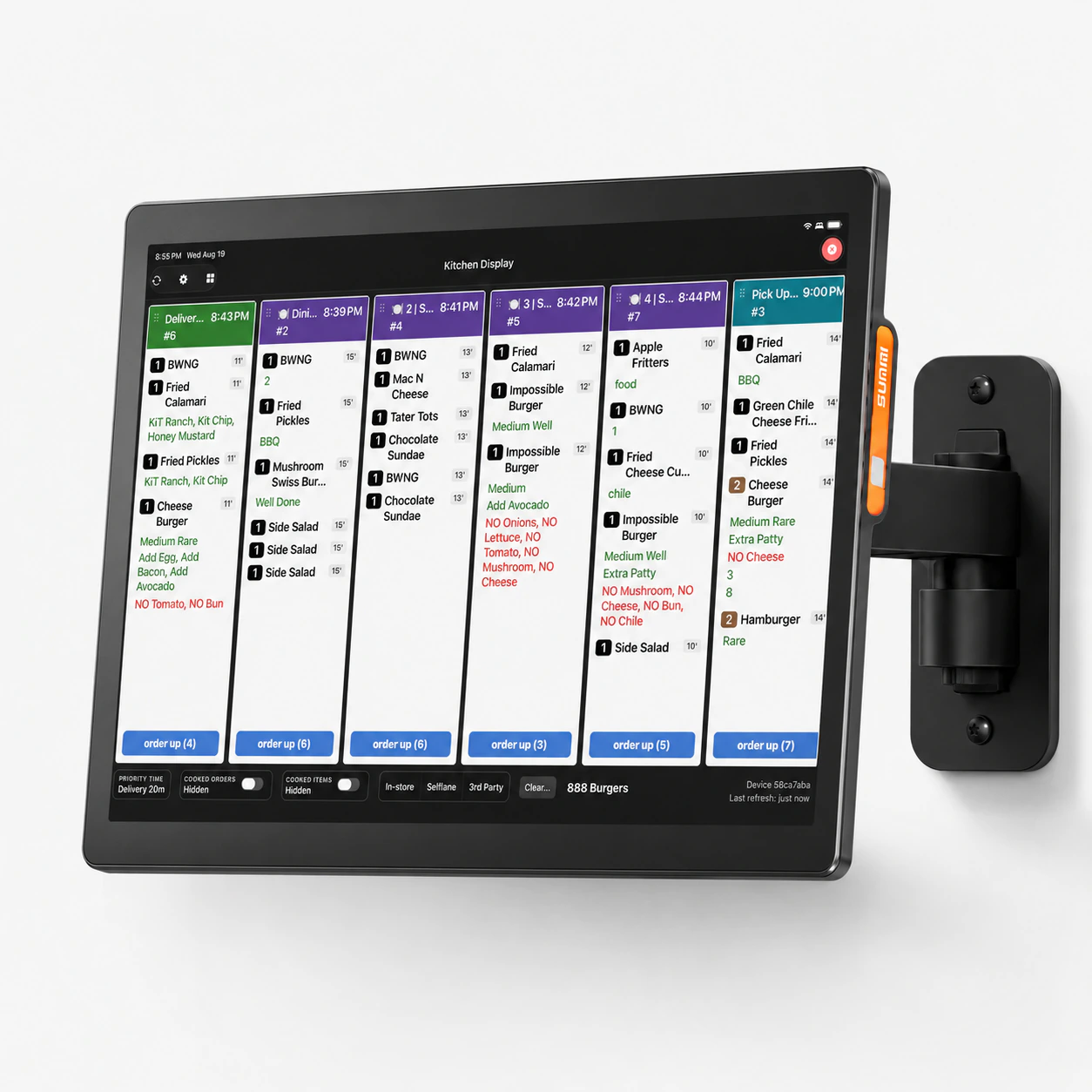
Powered by the Sunmi K2 15.6-inch kitchen display. Wall-mount it over the pass or stand it on a counter — the grid lives where the line already works, and the same filters for in-store, Selflane, and third-party orders stay one tap away.
- Go paperless
- No lost tickets
- No mid-rush paper changes
- Real-time front-of-house, kitchen, and expo sync
At a glance
- Plan
- Included with Essential and up
- Add-on: Displays add-on, $20/location/month, on the POS plan; included from Essential
- Hardware
- iPad (iPadOS 15.1 or later)
- Android tablet (Android 7.0 or later)
- Sunmi K2 15.6" kitchen display ($699.99, sold by Selflane)
- Where to find it
- displays › Choose what this device runs › Kitchen Display
- displays › Kitchen Display › Settings (gear)
- back-office › Owner's Portal › Plan & Billing › Manage Plan › Add-Ons › Displays
- back-office › Settings › Menu › Modifiers › Allow separate completion in KDS
- back-office › Performance › Dashboard › 30 Day Kitchen Speed
- Availability
- iOS/iPadOS: App Store (iOS 15.1+). Android: direct APK download linked from selflane.com/apps (Android 7.0+); not on Google Play.
What's included
Orders in about a second
New orders reach every kitchen screen over a live connection within about a second — including Android screens that can't get push notifications — and the screen falls back to checking every 15 seconds if that connection drops.
Modifiers and choices
Add option groups to dishes — sizes, sides, toppings, cooking temperature — with prices, required or optional picks, and min/max limits.
Customer-facing and loyalty displays
More › Display Hub turns a spare iPad running the Selflane POS app into a guest-facing screen beside the register: a customer-facing display for the order, tip and signature, a loyalty sign-up screen, or a drive-thru display for a second staff member.
Can I…?
Hardware Requirements
Selflane Displays runs on the tablets you already have — pick the platform that fits your kitchen and download the app. If you would rather we supply the screen, the Sunmi K2 15.6-inch kitchen display is $699.99. Displays is included on the Essential plan and above; on the POS plan it is a $20 per month per location add-on.
iOS
Any iPad running iOS 15.1 or later.

Android
Any Android device running Android 7 (Nougat, 2016) or later.